
List-Guide
Main Menu
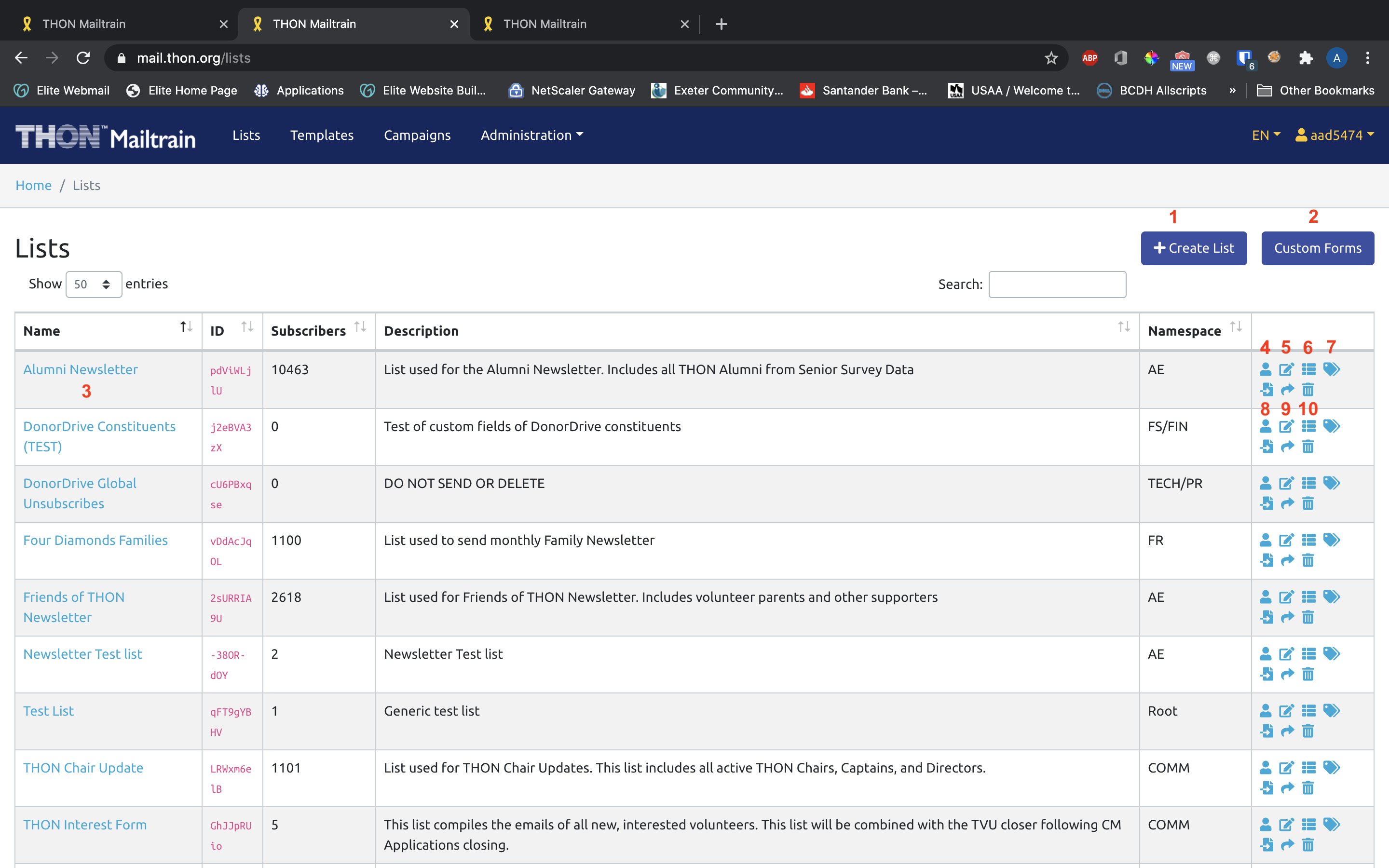
- Create a list (see guide)
- Create and manage custom forms (not needed)
- View List Subscribers (see guide)
- Manage List Subscribers (same as 3)
- Edit List
- Manage Custom Fields
- Manage Segments
- Manage Subscriber Imports (see guide)
- Share list (not needed)
- Delete List (beware!)
List Details / Subscriber Tab
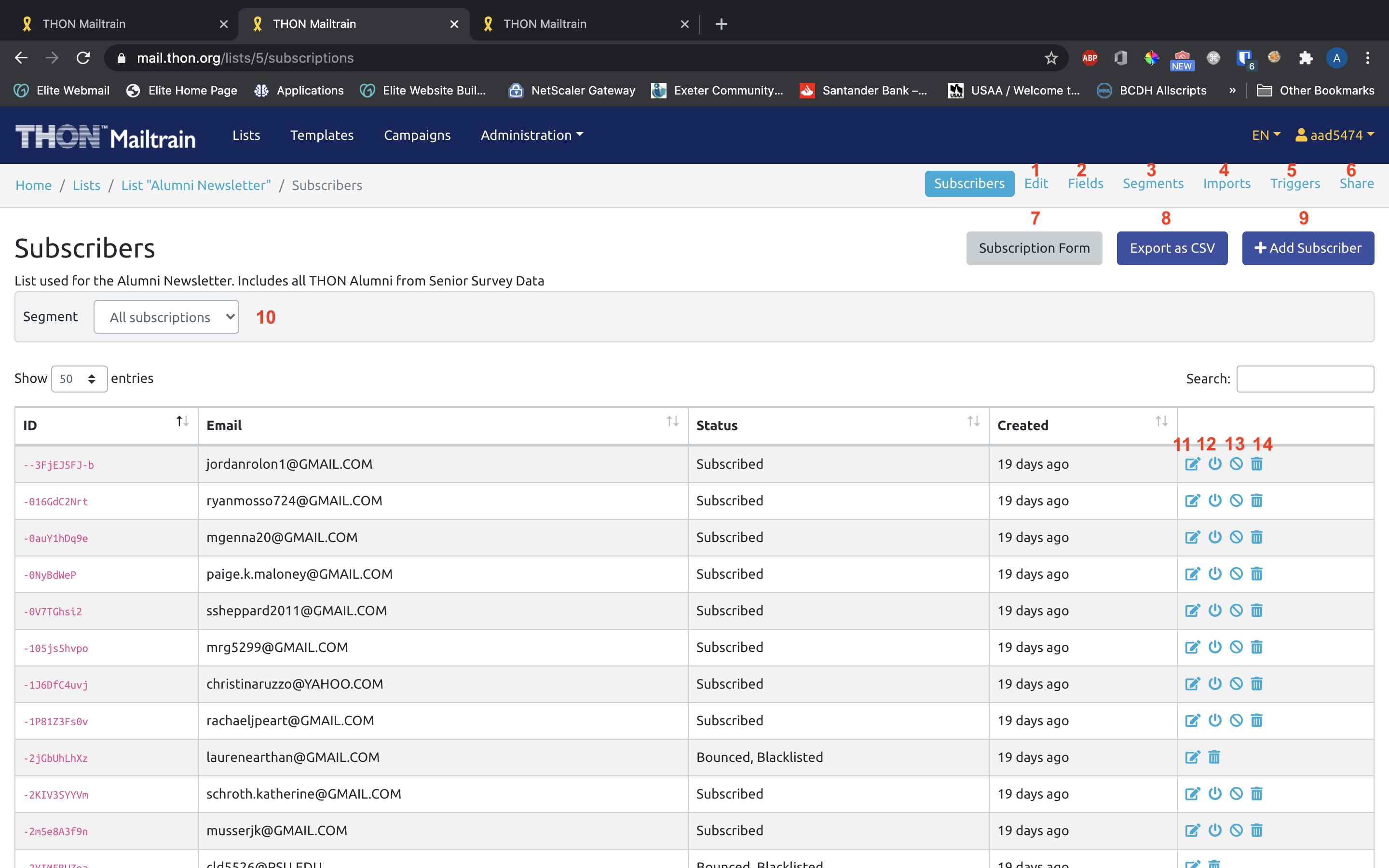
- Edit List
- Manage Custom Fields
- Manage Segments
- Manage Subscriber Imports (see guide)
- View Automation Triggers (not needed)
- Share list (not needed)
- Link to public subscription form (if publicly subscribable)
- List CSV Export
- Add Individual Subscriber (see guide)
- Filter list by segment
- Edit Subscriber
- Unsubscribe address
- Blacklist address
- Delete subscription
Guides
The following pages contain guides on how to utilize list features on Mailtrain: